
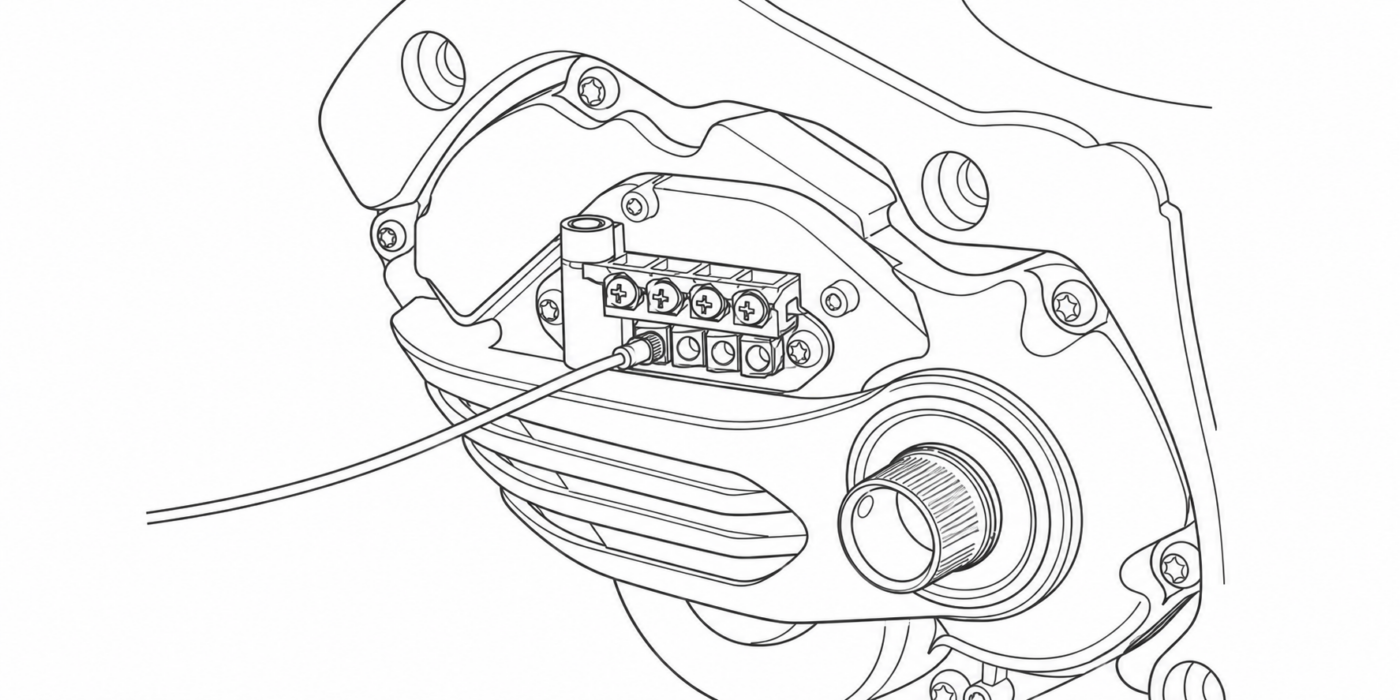
A Shimano STEPS motor is normally configured while it is installed on a complete e-bike: battery connected, display active and all components communicating inside the Shimano system.
But you are not always working with a complete bike. Sometimes the motor is outside the frame, not installed yet, replaced under repair or bought separately and needs configuration before fitting.
For these cases, eTuning for desktop includes Direct Motor Connection. This workflow lets eTuning communicate directly with the Shimano STEPS drive unit using a compatible interface, such as Shimano SM-PCE1 or SM-PCE02, without the motor being installed on the bike.
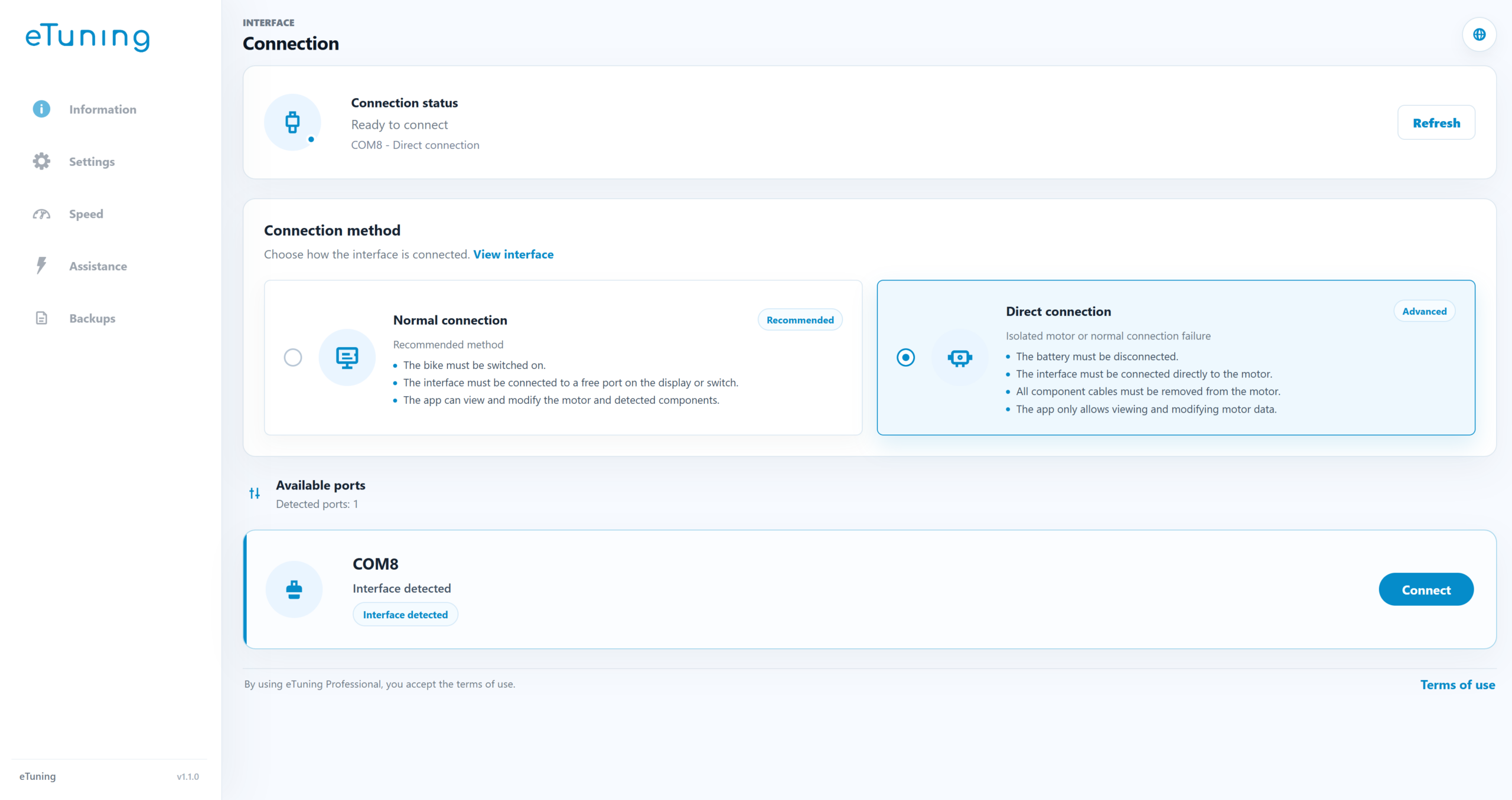
What Direct Motor Connection means
Direct Motor Connection is an advanced eTuning for desktop mode where the interface connects directly to the Shimano STEPS drive unit.
Unlike a normal connection, eTuning does not communicate through the complete bike. The motor is isolated and communication happens directly with the drive unit.
This is useful when the motor is on a workbench, when the bike is not assembled yet or when a workshop wants to prepare a motor before installation.
Important requirement: the motor must be isolated
To use Direct Motor Connection, the motor must be physically disconnected from the rest of the bike.
Turning the bike off is not enough. The battery connector must be disconnected from the motor. The display, switches, Di2 components and any other cable connected to the drive unit must also be disconnected.
On motors such as Shimano EP801 and EP6, the battery connector may include a lock. Release the lock first, then remove the connector from the motor.
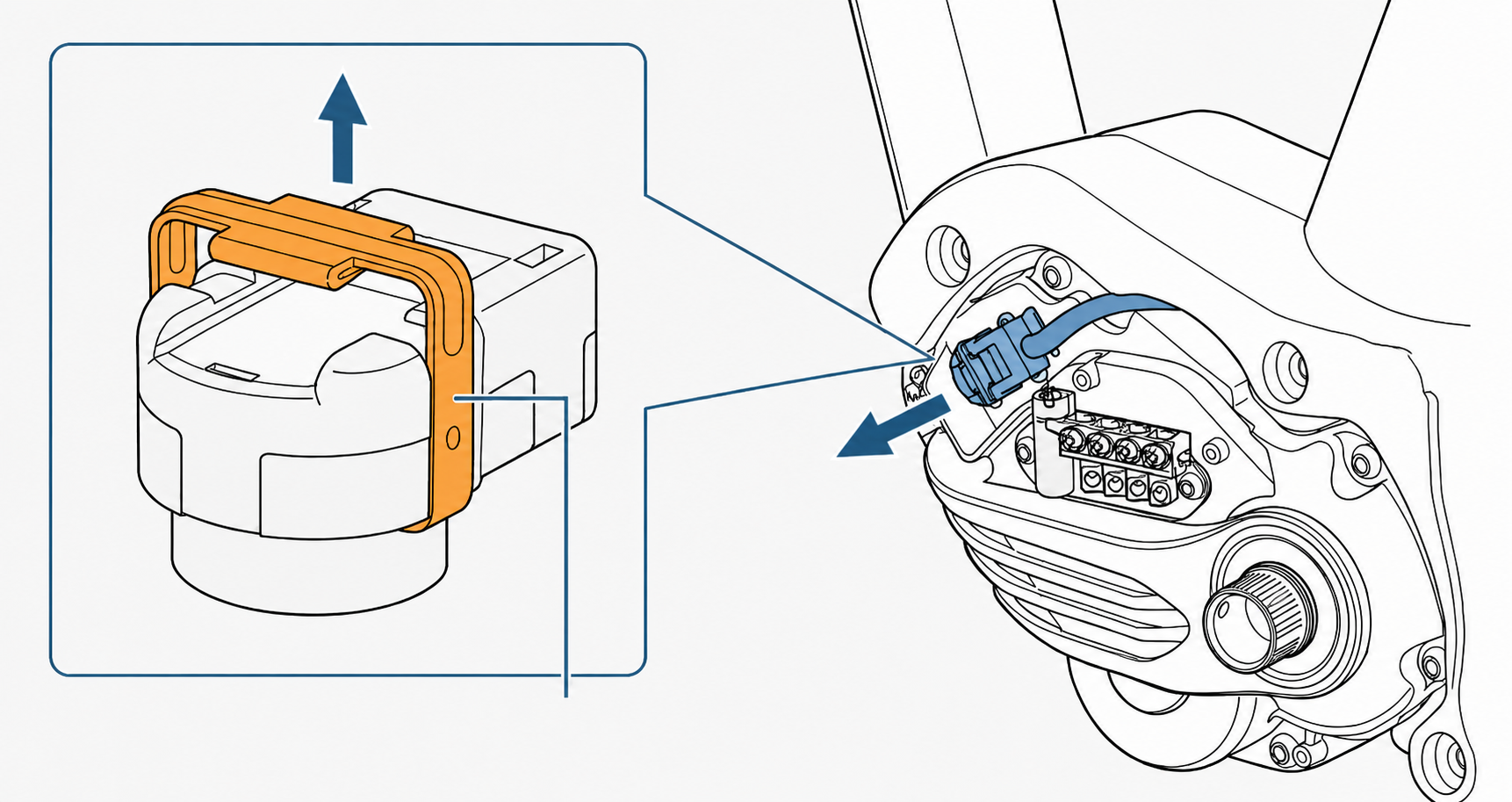
In this mode, the only cable connected to the motor should be the compatible interface cable.
When to use Direct Motor Connection
This mode is made for workshop and advanced configuration cases, especially when there is no complete bike ready to connect.
- replacement Shimano STEPS motors
- motors bought separately
- configuration before installation
- workbench diagnosis
- advanced motor recovery or inspection
For a complete bike that communicates correctly, use the standard connection. Direct Motor Connection is for working with an isolated motor.
What can be configured
The available functions depend on the connected Shimano STEPS motor and eTuning compatibility.
Depending on the motor, Direct Motor Connection can be used to review or configure wheel circumference, region or destination where supported, gear type, number of gears, chainring, rear sprocket, mounting angle, light settings, motor information and compatible speed functions.
eTuning shows the options available for the detected motor, avoiding a generic workflow for motors that work differently.
Why it is useful for replacement motors
A Shimano STEPS motor bought as a replacement may not contain the exact values for the bike where it will be installed.
For example, it may need the correct wheel circumference, gear type, mounting angle or system-specific settings. If these values do not match, the bike may show incorrect speed, cut assistance earlier than expected or behave differently from the original setup.
With eTuning for desktop, the motor can be prepared before installation using the correct interface and method.
How it works with eTuning for desktop
The general workflow is:
- Open eTuning for desktop.
- Select Direct Motor Connection.
- Physically disconnect the motor from the battery and all other components.
- Connect only the compatible interface to the motor.
- Let eTuning detect the drive unit.
- Review the available functions.
- Apply the compatible configuration.
- Disconnect the interface before reconnecting or reinstalling the system.
The exact connector location depends on the motor model and bike frame.
Direct connection is not Bluetooth
Direct Motor Connection does not use Bluetooth or the mobile app.
It is an eTuning for desktop workflow using a compatible wired interface. That is why it can be used even when the motor is not installed on a complete bike.
Summary
Direct Motor Connection turns eTuning for desktop into an advanced configuration tool for Shimano STEPS motors outside the bike.
It is especially useful for replacement motors, separately purchased motors, preparation before installation, workshop diagnosis and direct drive unit configuration.
For a complete bike, use normal connection. For an isolated motor, use Direct Motor Connection with eTuning for desktop and a compatible interface.
FAQ
Can I configure a Shimano STEPS motor outside the bike?
Yes. With eTuning for desktop and a compatible interface, you can connect directly to the motor when it is isolated from the rest of the bike.
Should the bike battery be connected?
No. In Direct Motor Connection, the battery connector must be physically disconnected from the motor.
Can I leave the display and switches connected?
No. The motor must be isolated. Only the compatible interface cable should be connected.
Is this useful for replacement motors?
Yes. That is one of the main uses, because a replacement motor may need settings before it is installed on the bike.
Does it work by Bluetooth?
No. Direct Motor Connection requires eTuning for desktop and a compatible wired interface.