
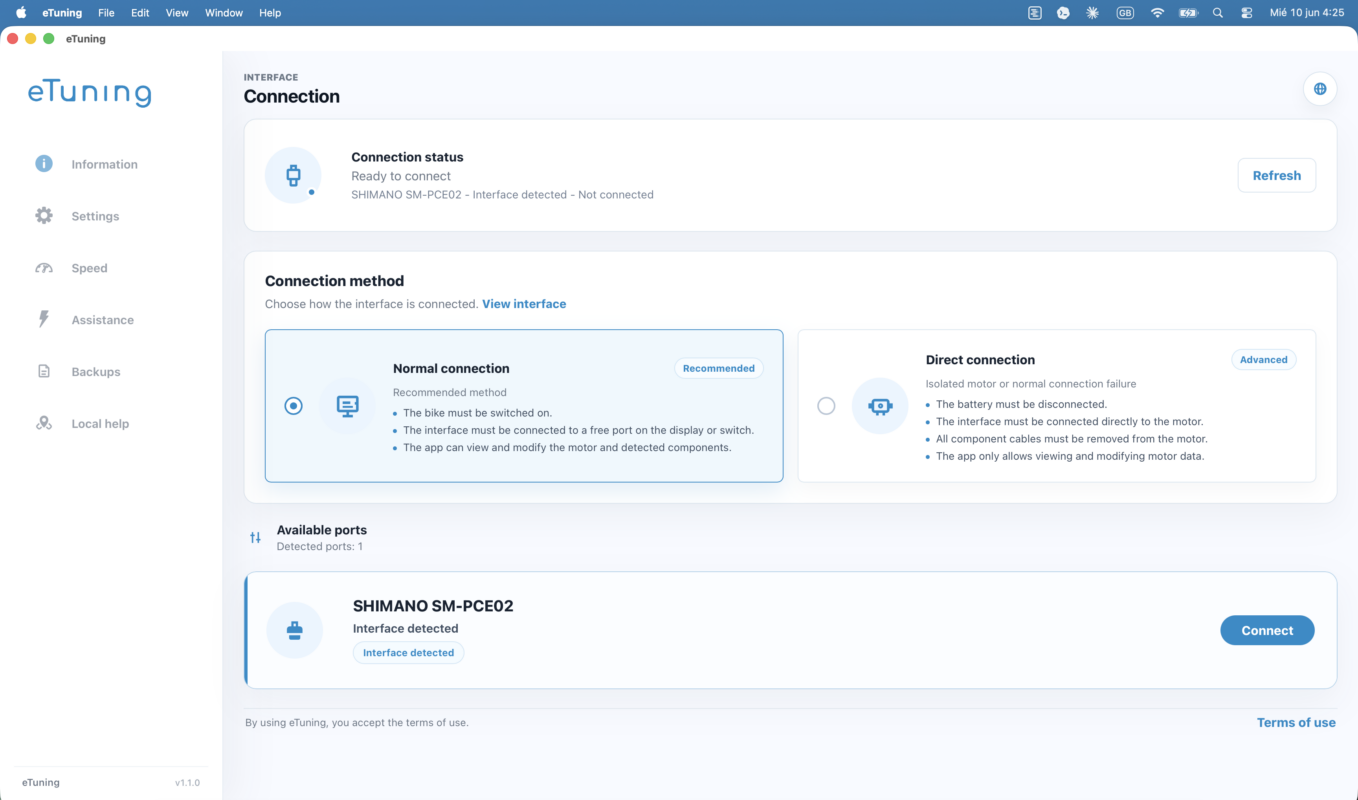
eTuning is now available for Mac. Riders and professionals working with bikes equipped with Shimano STEPS can use eTuning on macOS to configure compatible Shimano STEPS motors with the Shimano SM-PCE1 or SM-PCE02 professional interface.
The Mac version lets you connect through SM-PCE1 or SM-PCE02, review motor parameters, prepare compatible settings, create backups and sync motor information with the eTuning cloud from a Mac.
A real macOS app, not the iPhone app running on a Mac
eTuning for Mac is a desktop version built for macOS. It supports Apple Silicon Macs, including M1, M2, M3, M4 and M5, as well as Intel Macs.
This matters because working with the Shimano SM-PCE1 or SM-PCE02 interface is not the same as opening a mobile app on a larger screen. USB communication, system permissions, the professional interface connection and advanced settings need a desktop app designed for Mac.
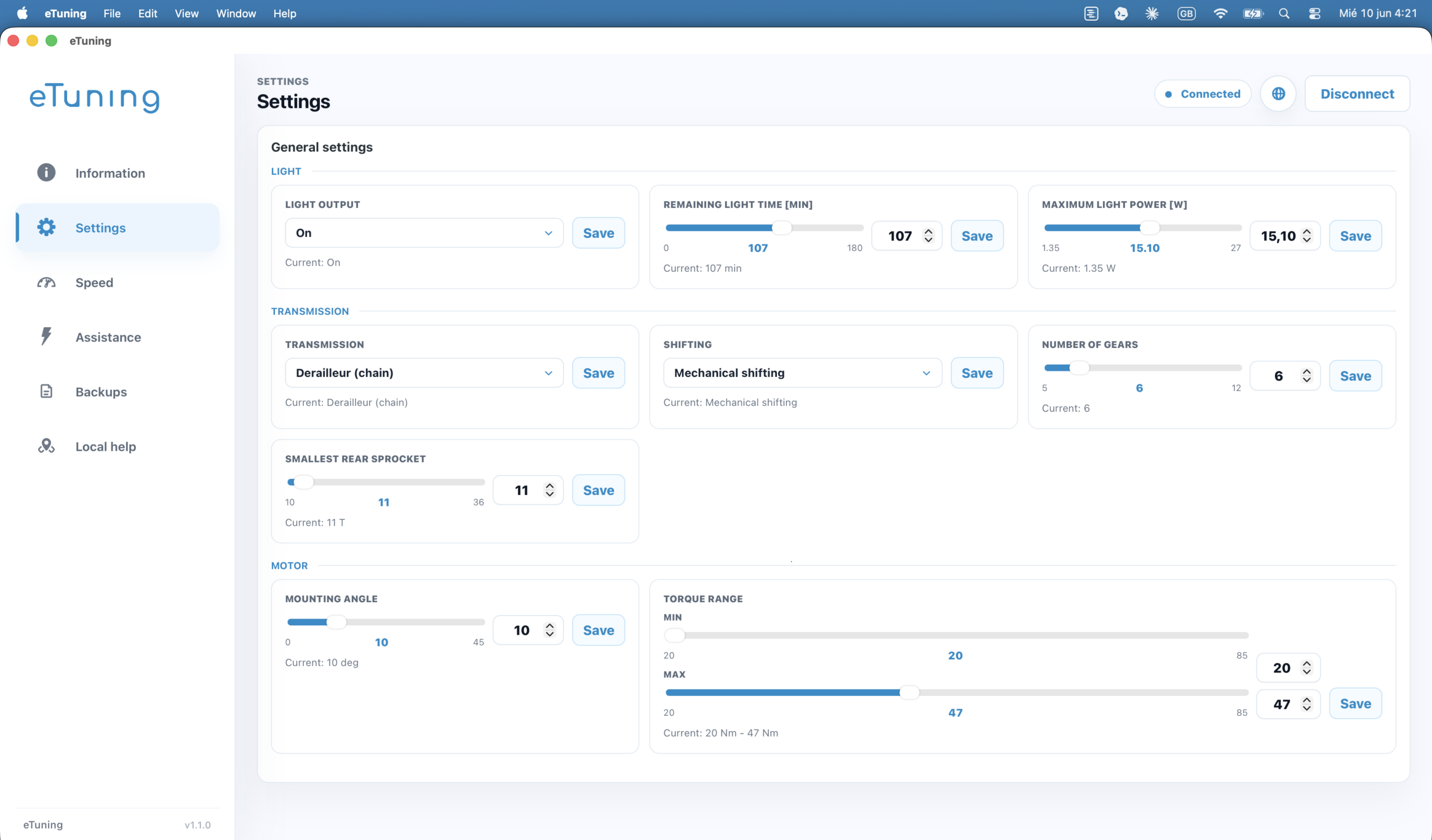
What you can do with eTuning for Mac
- Connect with the Shimano SM-PCE1 or SM-PCE02 interface.
- Configure compatible Shimano STEPS motors.
- Adjust speed or region where the motor and firmware support it.
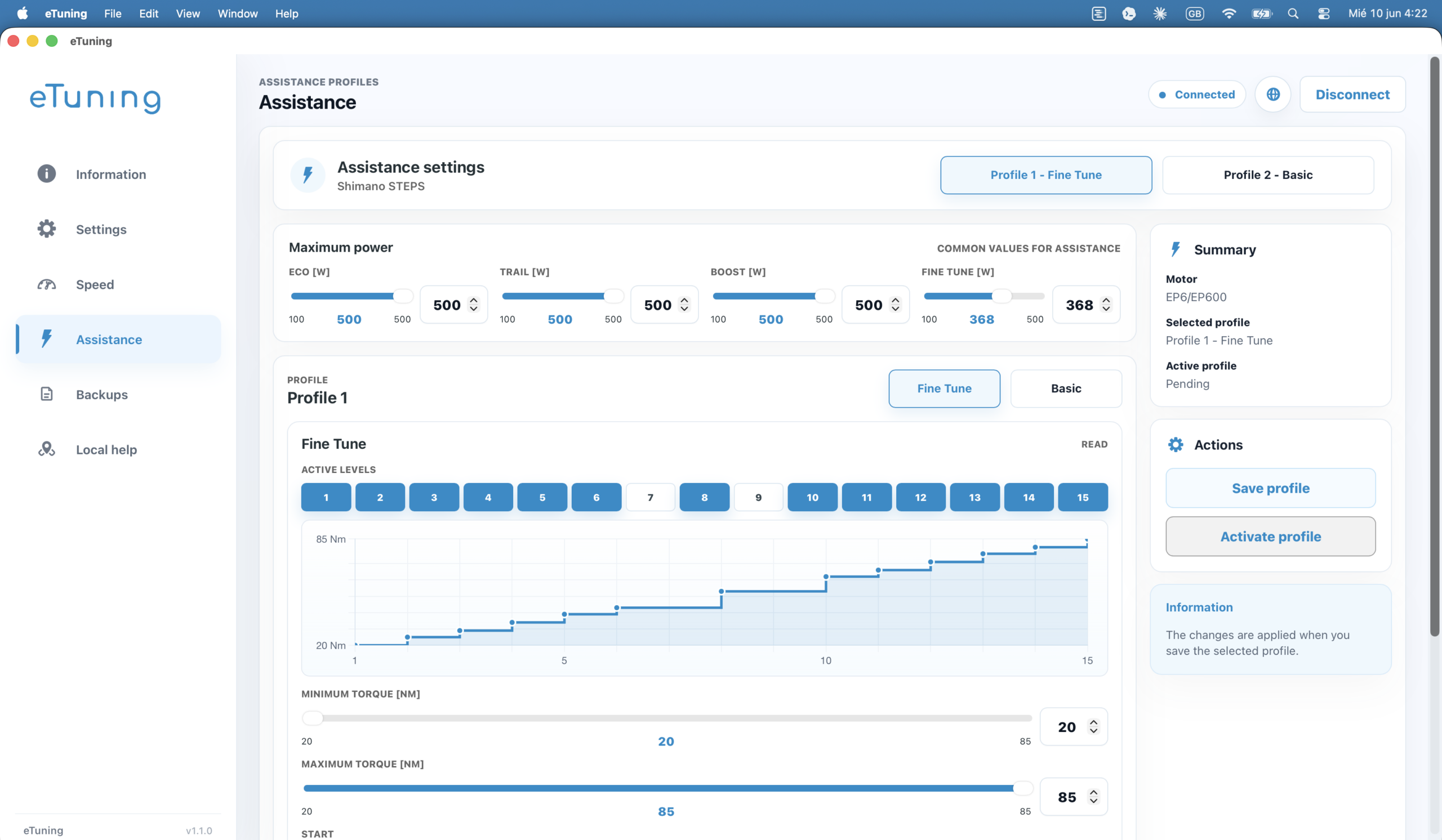
- Read and manage important motor parameters.
- Create and restore backups.
- Sync motor information with the eTuning cloud.
- Use the same eTuning license on Mac, Windows, Android and iPhone.
- Prepare motors that require a professional interface for initial configuration.
Available options depend on the exact motor, firmware and connection method. eTuning shows the compatible options for the detected bike or motor.
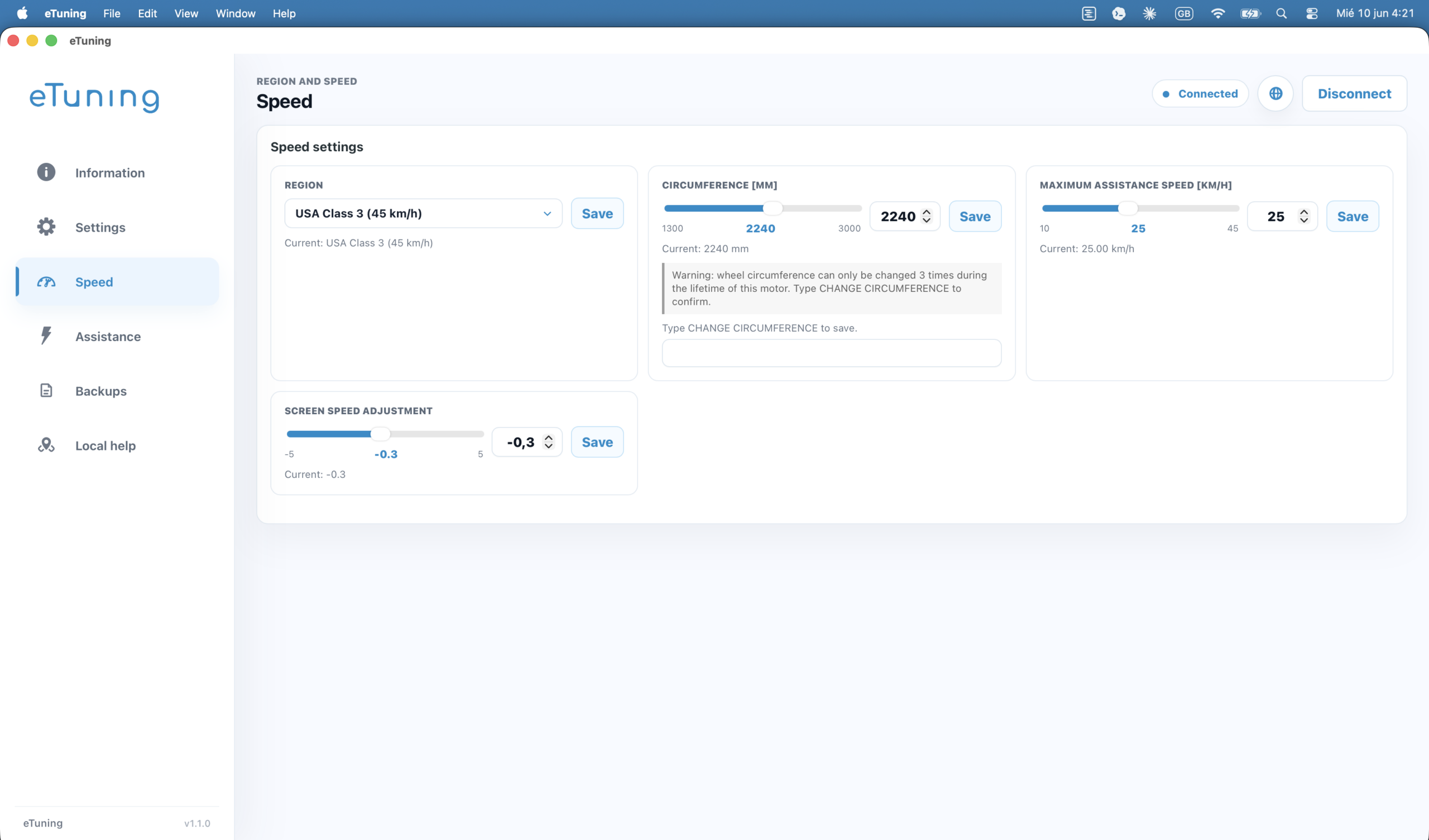
Why Mac support matters
Until now, many riders with a Mac depended on a Windows PC, a virtual machine or help from someone else to use a Shimano SM-PCE1 or SM-PCE02 interface. Bringing this capability to macOS was not just a matter of “making a website” or recompiling the app.
eTuning for Mac is the first native macOS desktop app that can configure compatible Shimano STEPS motors with the Shimano SM-PCE1 or SM-PCE02 interface, without depending on Windows. There is no equivalent Mac alternative, neither inside Shimano E-TUBE nor in third-party apps: until now, anyone who wanted to work with SM-PCE1 or SM-PCE02 needed a Windows PC.
It requires USB/serial communication, permissions, packaging, signing, architecture compatibility and a stable experience on both Apple Silicon and Intel Mac. Adding SM-PCE1 or SM-PCE02 to macOS was one of the most requested and most technical steps in making eTuning a complete Shimano STEPS platform.
One platform: Windows, Mac, Android and iPhone
eTuning is no longer just a mobile app or a standalone desktop tool. It is a Shimano STEPS platform across Windows, Mac, Android and iPhone with the same motor-based license.
Mobile remains convenient for everyday use. The desktop app is the right option for professional-interface settings, SM-PCE1 or SM-PCE02 connection, backups and deeper management. The cloud keeps information synced across devices.
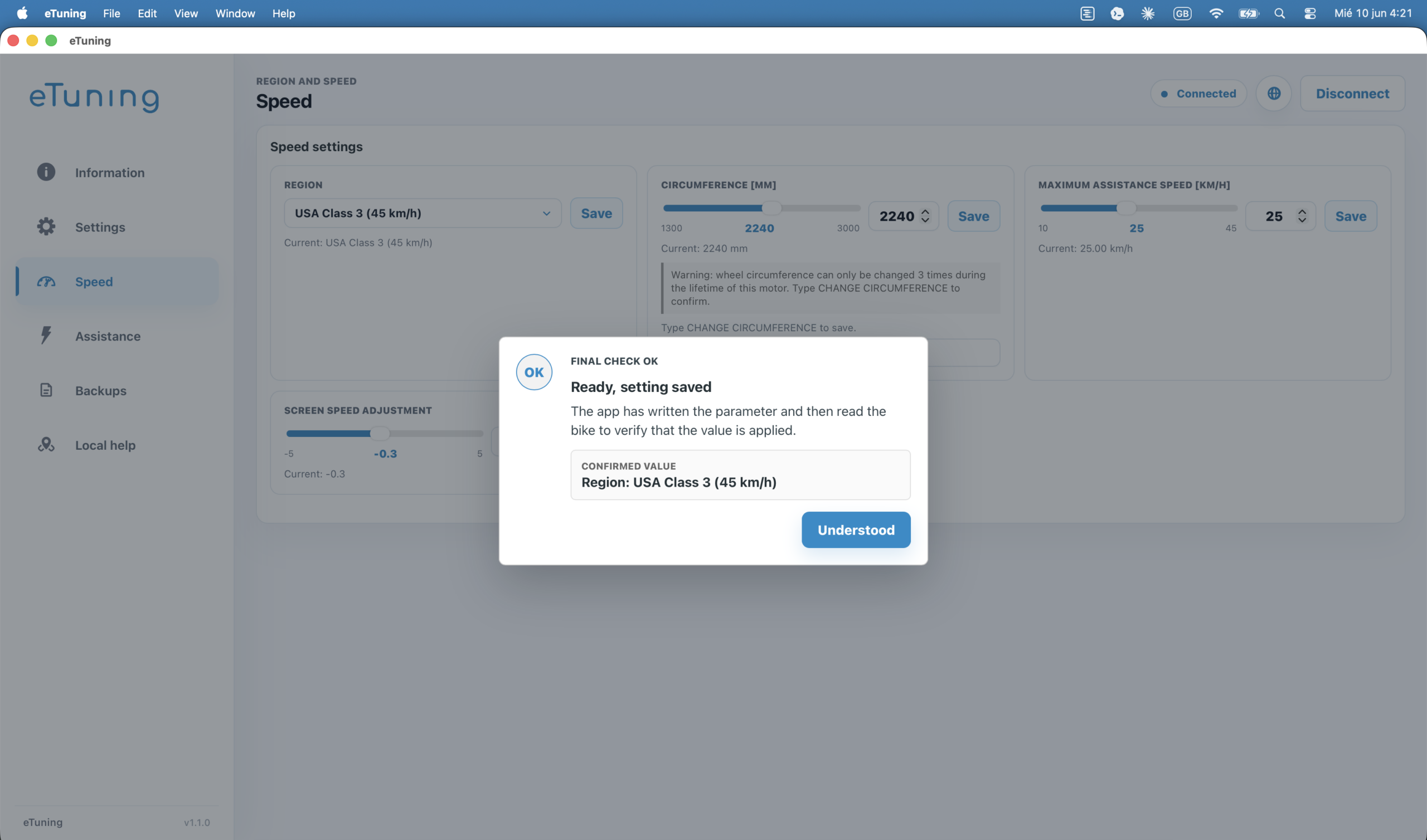
Compatible Shimano STEPS motors
eTuning works with several Shimano STEPS families, including Shimano EP801, EP6 / EP600, EP5 / EP500, EP800 / EP8, E8000, E7000, E6100 and E5000.
The connection method depends on the motor, function and license. Check your model in the compatibility selector.
Important for EP801, EP6 and EP5
With eTuning Pro, EP801 and EP6 / EP600 support region and wheel circumference changes over Bluetooth on Android or iPhone, without SM-PCE1 or SM-PCE02. With Plus, initial region and wheel settings require SM-PCE1 or SM-PCE02 and eTuning for Windows or Mac; you can then adjust maximum speed from your phone. EP5 / EP500 still uses the SM-PCE1 or SM-PCE02 desktop interface method.
To see the specific method for these families, read the guide for Shimano EP801, EP6 and EP5 with eTuning for desktop.
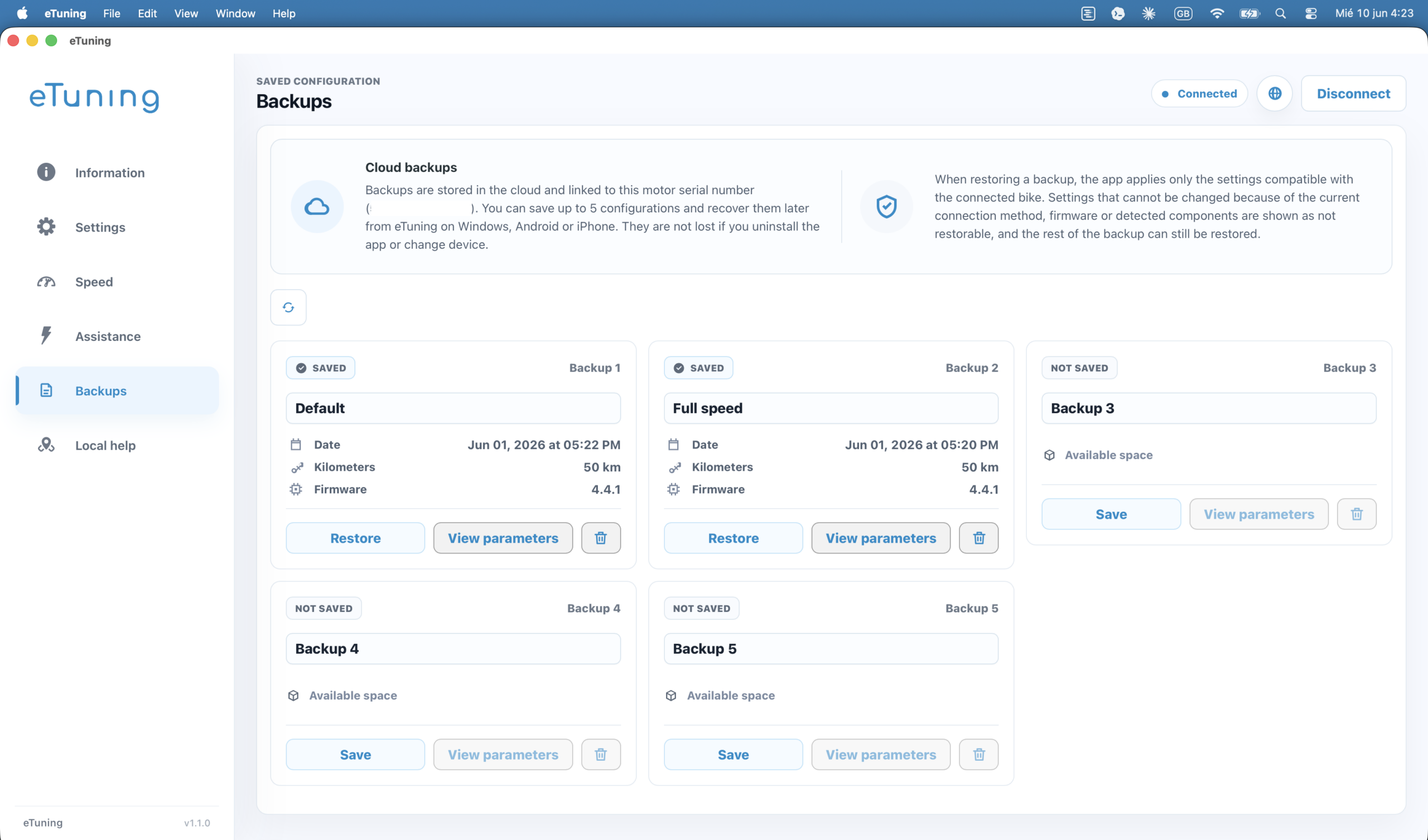
Cloud backups for your Shimano STEPS motor
Before changing anything, eTuning can help you save a backup of the motor configuration. Your setup is not just changed: it is managed, documented and available to compare or restore later.
Backups are shared between Windows, Mac, Android and iPhone when you use your eTuning account and license.
Built for riders and professionals
The Mac version is useful for individual riders already working on macOS and for professional environments using the Shimano SM-PCE1 or SM-PCE02 interface. It makes it possible to service more motors from the same platform, keep cloud backups and avoid limiting professional configuration to Windows.
How to get started
- Download and install eTuning for Mac using the button above.
- Connect the Shimano SM-PCE1 or SM-PCE02 interface to the Mac.
- Connect the SM-PCE1 or SM-PCE02 to the compatible Shimano STEPS bike or system.
- Open eTuning and review the available options for that motor.
- Create a backup before making changes.
If you do not have the interface yet, read the guide about the Shimano SM-PCE1 or SM-PCE02 interface for eTuning for desktop.
Speed settings must be used according to local regulations. If a configuration exceeds the limits allowed on public roads, use it only on private property or where it is legally permitted.
FAQ
Does eTuning work on Mac?
Yes. eTuning is available for macOS as a desktop app for Mac.
Does eTuning for Mac support Apple Silicon?
Yes. eTuning for Mac supports modern Apple Silicon Macs, including M1, M2, M3, M4 and M5.
Does eTuning for Mac support Intel Macs?
Yes. eTuning for Mac also supports Intel-based Macs.
Can I use Shimano SM-PCE1 or SM-PCE02 on Mac?
Yes. eTuning for Mac supports the Shimano SM-PCE1 or SM-PCE02 professional interface for compatible Shimano STEPS settings.
Is this the same as running the iPhone app on Mac?
No. eTuning for Mac is a desktop app for macOS, designed for Mac and for working with the Shimano SM-PCE1 or SM-PCE02 interface.
Can I configure Shimano EP801 or EP6 from Mac?
Yes, with eTuning for Mac and SM-PCE1 or SM-PCE02. Alternatively, Pro supports Bluetooth region and wheel changes from Android or iPhone on EP801 and EP6 / EP600.
Do I need Windows to use eTuning with SM-PCE1 or SM-PCE02?
Mac users can use eTuning directly on macOS for supported settings, including work with the Shimano SM-PCE1 or SM-PCE02 interface.
Does the same license work on Mac, Windows, Android and iPhone?
Yes. The eTuning license is linked to the motor and can be used from the platforms supported by eTuning.
eTuning started helping riders with Shimano STEPS systems in 2020. With the launch of eTuning for Mac, the platform now covers Windows, macOS, Android and iPhone: a complete platform to configure, back up and manage compatible Shimano STEPS motors from almost any work device.