Advanced motor configuration from your phone
Adjust all advanced parameters your Shimano STEPS motor allows from mobile, including assistance modes, support behavior and compatible motor settings.



Everything Shimano STEPS riders need in one place.
Adapt your bike's regional settings to its country of use, back up and sync across Windows, Mac, Android and iPhone.
Helping Shimano STEPS riders since 2020

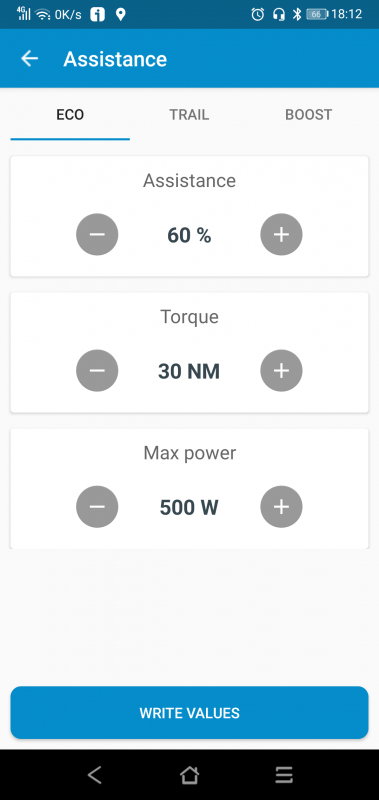
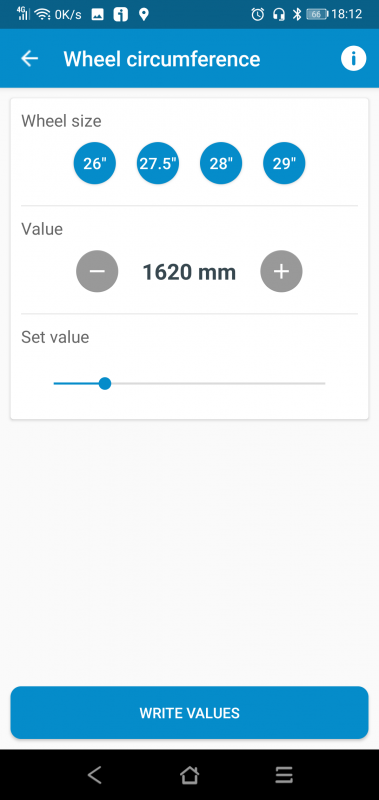
Adjust all advanced parameters your Shimano STEPS motor allows from mobile, including assistance modes, support behavior and compatible motor settings.
Select your motor to see the compatible method and what you need.
Find your motor model in the eTuning app, on the Information screen.
Speed settings must be used in accordance with local laws. If a configuration exceeds public-road limits, use it only in private areas or where legally permitted.


This motor series lets you change region from your phone with eTuning Pro, or from Windows or Mac with eTuning Plus and a Shimano interface. Available regional profiles include USA Class 3, with assistance up to 45 km/h, keeping the real speed display and the original wheel circumference.
Choose a configuration suitable for the country and place where you will use your bike. Changing the region alone does not guarantee that the bike meets all requirements for use on public roads.
You can change region from Android or iPhone via Bluetooth, or from Windows or Mac with a Shimano interface, regardless of the installed firmware. The USA profile supports assistance up to 32 km/h, keeping the real speed display.
Choose a configuration suitable for the country and place where you will use your bike. Changing the region alone does not guarantee that the bike meets all requirements for use on public roads.
Save and restore complete bike configurations across your devices.


Cloud backups configured in eTuning for desktop and restored from the mobile app.
Follow your power, pedaling torque and motor temperature in real time, then explore and share your rides.
Explore the example rideA replacement motor may need adjustments to match your bike. With eTuning, you can configure supported parameters and personalize the motor you already use, too.
Available settings depend on the motor, firmware and connection.

News and mini guides about eTuning and Shimano STEPS.