
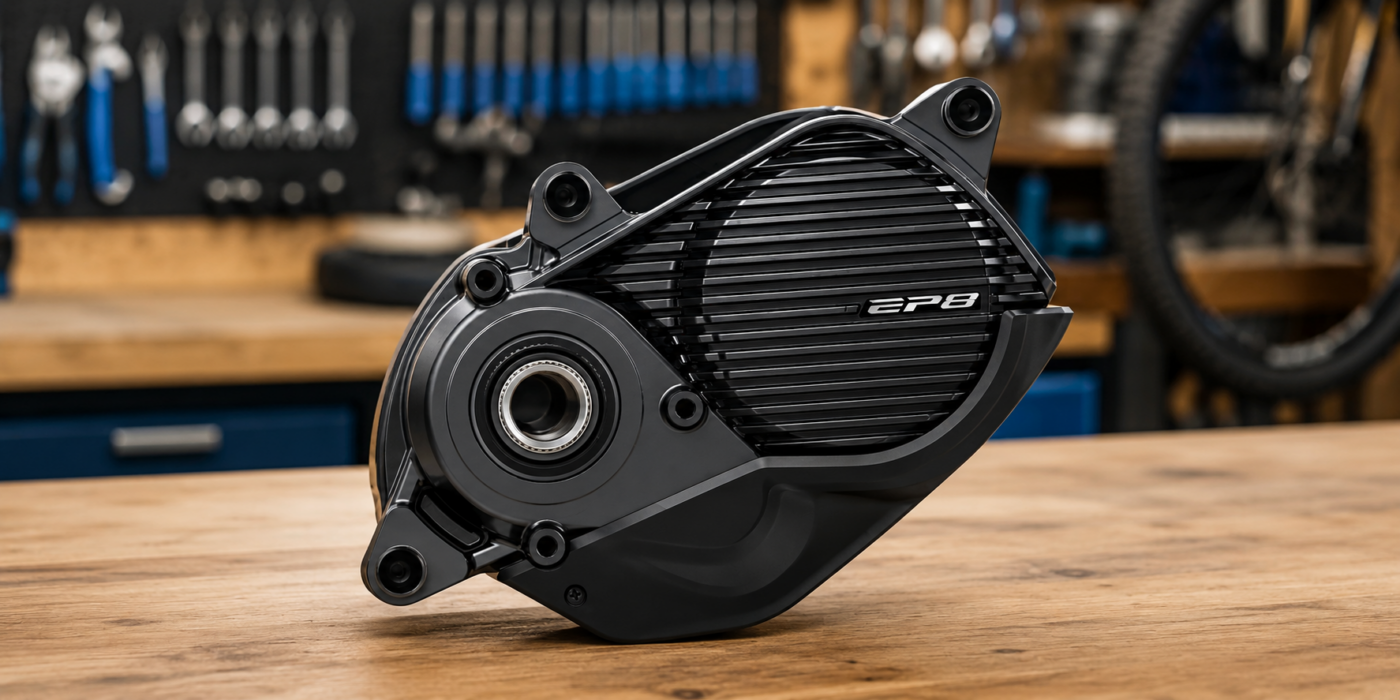
When a new or replacement Shimano STEPS motor is installed, the bike is not always ready to work correctly. A motor bought as a spare part may arrive with generic factory configuration instead of the exact parameters for your bike.
This can cause symptoms such as incorrect wheel circumference, assistance cutting earlier than expected, wrong speed shown on the display, incorrect gear type or bike parameters that do not match the real setup.
On compatible older motors, supported settings can be changed over Bluetooth. The connection method depends on the motor, function and license.
Why a new Shimano STEPS motor may not be configured for your bike
A replacement Shimano STEPS motor does not always include the bike manufacturer’s exact configuration. Even if the motor is physically compatible, it may need setup before it behaves like the original motor.
Parameters that may need checking include:
- wheel circumference or wheel diameter
- gear type: mechanical or electronic
- number of gears
- chainring size
- rear sprocket
- motor mounting angle
- region or destination
- light settings
- assistance profiles compatible with the motor
If any of these values does not match the real bike, assistance, speed reading or system behavior can be incorrect.
Typical case: wheel circumference set to 3000 mm
One common issue after replacing a Shimano STEPS motor is an excessively high wheel circumference, for example 3000 mm.
The usual symptom is that the bike seems to stop assisting around 20 km/h, even if the display may show 25 km/h. The cause can be that the motor calculates speed using a wheel value that does not match the real wheel.
The solution is to set the correct circumference for the real wheel size. With eTuning, this adjustment can be made when the motor and connection method support it.
Why a normal workshop may not be able to change these settings
Not every advanced setting is available to every workshop through standard E-TUBE Project Professional. In some cases, specific parameters require manufacturer permissions, specific tools or an advanced connection method.
That is why a workshop may be able to diagnose the bike, update firmware or perform basic operations, but not modify specific replacement motor configuration values.
eTuning can configure replacement Shimano STEPS motors
eTuning is designed to read and adjust compatible Shimano STEPS system parameters. With a new or replaced motor, it can help you review the current configuration and correct important values so the motor matches the bike.
With eTuning Pro, EP801 and EP6 / EP600 support region and wheel circumference changes over Bluetooth on Android or iPhone, without SM-PCE1 or SM-PCE02. With Plus, initial region and wheel settings require SM-PCE1 or SM-PCE02 and eTuning for Windows or Mac; you can then adjust maximum speed from your phone.
It can also help store bike profiles in the cloud, keep backups and restore compatible configurations when working with several bikes or replaced motors.
Covered Shimano STEPS motors
This guide is intended for Shimano STEPS motor families such as:
- EP801 / EP801-RS / EP801-CRG
- EP6 / EP600 / EP600-RS / EP600-CRG
- EP5 / EP500
- EP800 / EP8
- E8000 / E8080
- E7000
- E6100 / E6110 / E6180
- E5000 / E5080 / E5100
Pro availability depends on the exact motor model.
How to configure a Shimano STEPS motor with eTuning
The general workflow is simple:
- Install eTuning on the correct platform.
- Connect the bike or motor.
- eTuning detects the Shimano STEPS motor.
- Review the current configuration.
- Correct wheel circumference, gear type or other compatible parameters.
- Save a cloud backup or bike profile.
- Check that assistance and speed reading are correct.
This avoids working blindly: first the real system configuration is read, then compatible changes are applied to that motor.
When you need the Shimano SM-PCE1 or SM-PCE02 interface
On older Shimano STEPS motors, some adjustments can be made by Bluetooth when the motor and function are compatible.
SM-PCE1 or SM-PCE02 is required for initial region and wheel settings with Plus on EP801 / EP6, and for the EP5 / EP500 desktop workflow.
If the motor is outside the bike, eTuning for desktop can also work in direct connection mode when a compatible interface is used.
What to check after replacing a Shimano motor
After installing a new or replacement motor, check at least these points:
- the wheel circumference matches the real wheel
- the display shows a consistent speed
- assistance stops at the expected speed
- the gear type is configured correctly
- chainring, sprocket and number of gears have correct values
- lights work according to the bike configuration
- there is a backup of the final configuration
These checks are especially important when the motor comes from the open market, a warranty replacement, a repair or another bike.
FAQ
Is a new Shimano STEPS motor ready to use?
Not always. It may arrive with generic configuration and need setup for the exact bike where it is installed.
Why does my Shimano STEPS stop assisting before 25 km/h?
One possible cause is incorrect wheel circumference. If the configured value is too high, the speed calculated by the motor does not match the real speed.
Can eTuning change wheel circumference?
Yes. eTuning can configure wheel circumference on compatible Shimano STEPS motors using the correct method for each generation.
Do I need the Shimano SM-PCE1 or SM-PCE02 interface?
SM-PCE1 or SM-PCE02 is required for initial region and wheel settings with Plus on EP801 / EP6, and for the EP5 / EP500 desktop workflow.
Can I configure a Shimano motor outside the bike?
Yes, with eTuning for desktop and a compatible interface you can work with direct motor connection when required.
Is this only for region and assistance-speed configuration?
No. This guide is about replacement motor configuration: wheel, gears and system parameters. Speed settings are only one part of the possible configuration.