
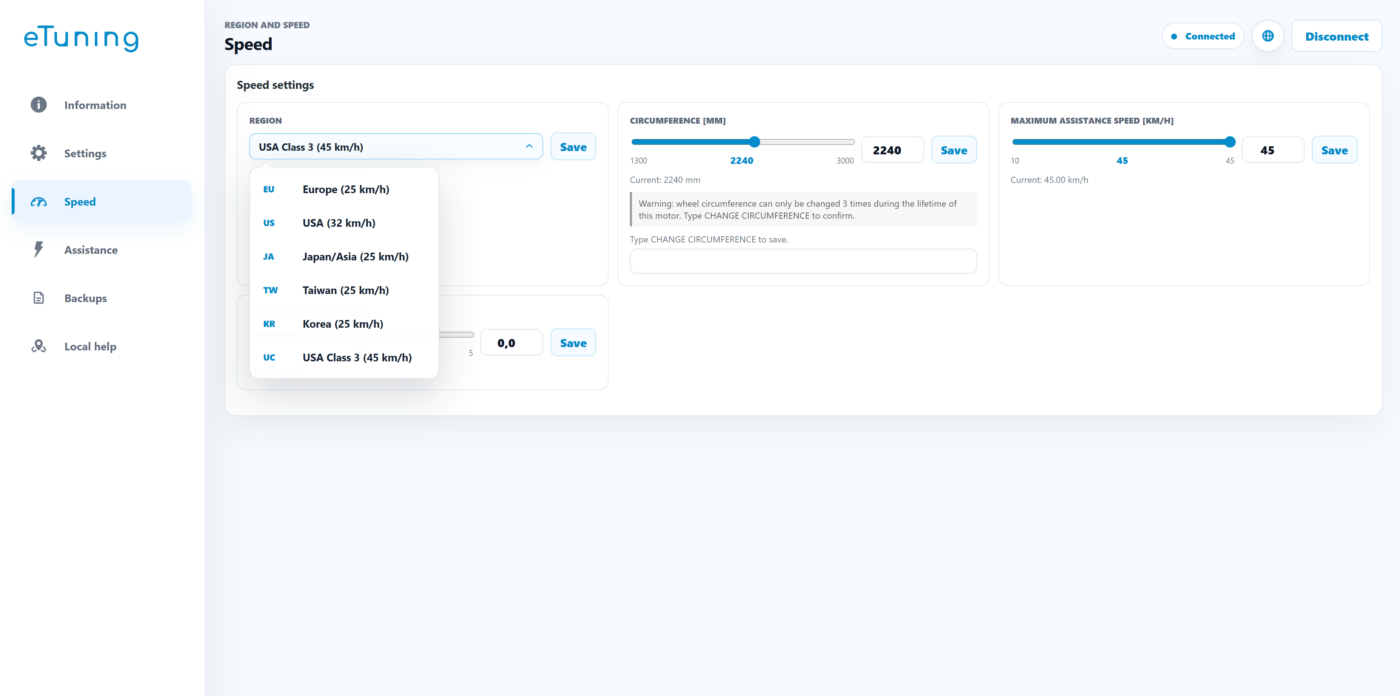
Do you want to change the region or wheel circumference of your Shimano motor? On compatible EP801 and EP6 motors, you can choose Bluetooth with eTuning Pro or a wired connection with eTuning Plus. If you have an EP5, the available method uses the SM-PCE1 or SM-PCE02 interface.
Check the model on the Information screen in eTuning. EP6 is also known as EP600, and EP5 as EP500. You can check your motor options in the compatibility selector.
EP801 and EP6: choose how to configure your motor
Both options can configure the region and wheel circumference on compatible motors. The difference is the licence and the way the bike is connected:
Option 1: eTuning Pro over Bluetooth
You need an Android phone or iPhone, the eTuning app and a Pro licence for your motor. You do not need a computer or SM-PCE1 or SM-PCE02 interface to change the region and wheel circumference over Bluetooth.
- Open eTuning on Android or iPhone and connect the bike over Bluetooth.
- Follow the app instructions to perform the required firmware adjustment.
- Configure the region, wheel circumference and compatible maximum speed in eTuning.
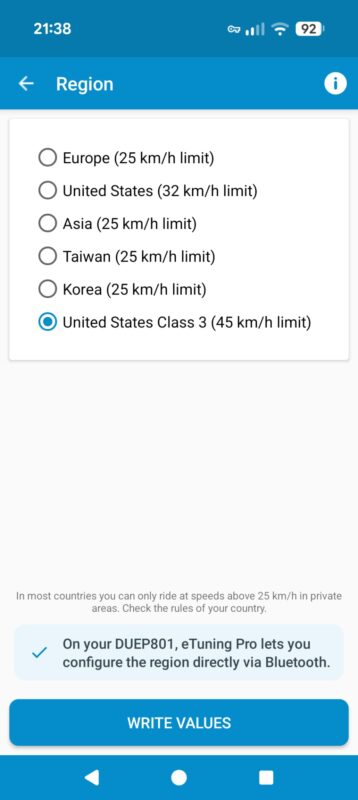
Option 2: eTuning Plus with SM-PCE1 or SM-PCE02 interface
You need eTuning for Windows or Mac, a Shimano SM-PCE1 or SM-PCE02 interface and a Plus licence for your motor. With this option, the initial region and wheel-circumference change is made over a cable connection.
- Install and open eTuning for desktop on Windows or Mac.
- Connect the SM-PCE1 or SM-PCE02 to the computer by USB and to the bike through a free display or handlebar-control port.
- Let eTuning detect the bike and follow the app instructions to configure the region and wheel circumference.
- Disconnect the interface when the process is complete.
After this initial configuration, you can use eTuning on Android or iPhone to adjust the compatible maximum speed within the configured region. That mobile adjustment is not the same as changing the region or wheel circumference directly over Bluetooth: for those changes without an interface, you need Pro.
EP5 / EP500: interface configuration
For EP5 / EP500, region and wheel-circumference configuration requires SM-PCE1 or SM-PCE02 and eTuning for Windows or Mac, as well as a valid licence for the motor. The Pro Bluetooth option described for EP801 and EP6 does not apply to EP5.
The connection and steps are the interface method explained above. Once the initial configuration is complete, you can adjust the compatible maximum speed from Android or iPhone.
If you are using an SM-PCE1 or SM-PCE02
On a complete bike, connect the interface to the computer by USB and to a free port on the display or handlebar control. The motor does not normally need to be removed. For more details and purchase links, see our guide to the Shimano SM-PCE1 or SM-PCE02 interface. The interface is not tied to a bike: you can borrow one or reuse it with other motors.
Software configuration, with no permanent hardware
eTuning changes compatible settings by software: it does not install tuning chips or require a device to remain connected to the bike. With the SM-PCE1 or SM-PCE02 method, the interface is removed when the process is complete. The licence is linked to the motor serial number, not to the phone, computer or interface.
Do you have an EP8 / EP800 motor? See the Shimano EP8 / EP800 configuration guide, because its methods are different.
Frequently asked questions
Can I change the region of an EP801 or EP6 without SM-PCE1 or SM-PCE02?
Yes. With eTuning Pro, you can change the region and wheel circumference over Bluetooth from Android or iPhone on compatible motors. The app guides you through the required firmware adjustment.
What do I need if I already have eTuning Plus?
To change the region or wheel circumference with Plus, you need SM-PCE1 or SM-PCE02 and eTuning for Windows or Mac. Afterwards, you can adjust the compatible maximum speed from your phone. To change the region and wheel circumference directly over Bluetooth, you need Pro.
Are EP6 and EP600 the same motor?
Yes. EP6 and EP600 refer to the same motor in this guide.
Can I use Pro over Bluetooth with an EP5 / EP500?
No. The Pro Bluetooth method described here is for compatible EP801 and EP6 motors. EP5 / EP500 requires SM-PCE1 or SM-PCE02 and eTuning for desktop to configure the region and wheel circumference.
Does the interface have to remain connected to the bike?
No. With the wired method, the SM-PCE1 or SM-PCE02 is connected only during configuration and removed afterwards.
Can I use a borrowed interface?
Yes. The SM-PCE1 or SM-PCE02 is not tied to a bike. You need a valid eTuning licence for your motor.
Legal notice
Speed settings must be used in accordance with local regulations. If a setting exceeds the limits permitted on public roads, use it only on private property or where legally allowed.